Course and News Presenter
News Anchor / Multilingual Broadcasting Scenario: Persona Switching, Avatar Switching, Voice Switching, and Real-Time Broadcasting
Tutorial Goal: Demonstrate how OpenTalking Studio completes a news anchor multilingual broadcast: enter the real-time conversation workflow and view the initial avatar, set up a financial news anchor persona, switch to a news anchor avatar, connect the WebRTC interface, and sequentially complete Chinese, English, Japanese, and Cantonese news broadcasts.
1. Case Overview
| Item | Description |
|---|---|
| Case Name | OpenTalking News Anchor / Multilingual Broadcasting End-to-End Case |
| Demo Role | News anchor digital human |
| Core Capabilities | Real-time dialogue, persona switching, digital avatar switching, multilingual broadcasting, voice switching, Wav2Lip lip-sync driving |
| Use Cases | Multilingual broadcasting, persona switching, voice switching, and news content production, etc. |
2. Prerequisites
- Launch OpenTalking Studio and open the browser page. The example uses
localhost. - Prepare multiple digital human avatars such as news anchor, anime handsome guy, etc.
- Confirm the driving model is available. This case uses Wav2Lip.
- Prepare four types of personas: financial news anchor, international sports news anchor, Japanese cultural tourism news anchor, and Cantonese local lifestyle news anchor.
- Prepare corresponding broadcast questions: Chinese financial news, English sports news, Japanese tourism news, and Cantonese local lifestyle news.
3. Detailed Steps
Step 1: Enter the Real-Time Conversation Workflow and View the Initial Avatar
After opening OpenTalking Studio, enter the Real-Time Conversation workflow. The page displays the current initial digital human avatar. In the video, the initially selected avatar is "Anime Handsome Guy", with voice set to Cherry and driving model set to Wav2Lip.
This step demonstrates that the demo starts from the default state, and will first set up a persona before switching to the news anchor avatar.
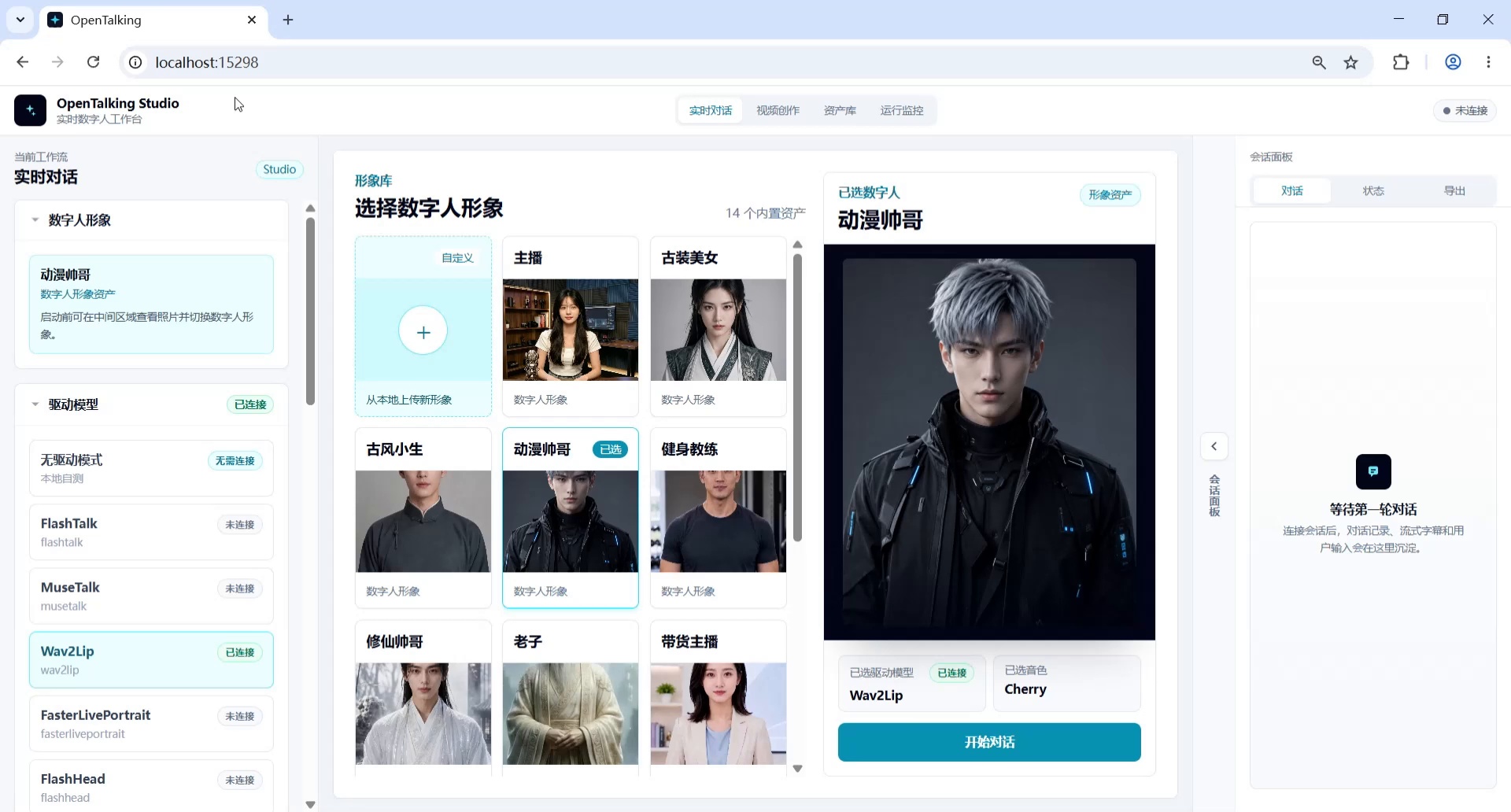
Screenshot 1: Enter the real-time conversation workflow and view the initial avatar.
Step 2: Set Up the Financial News Anchor Persona
In the left Role Settings area, fill in the financial news anchor persona and click Save Role. This is a role constraint step before Chinese financial news broadcasting.
Suggested persona content:
You are a Mandarin Chinese financial and livelihood news anchor, skilled at broadcasting consumer, price, employment, urban life, and public service news in a clear, steady, and easy-to-understand manner.
This persona is used for subsequent Chinese financial/livelihood news broadcasting, covering topics such as consumer vouchers, prices, employment, and urban life services.
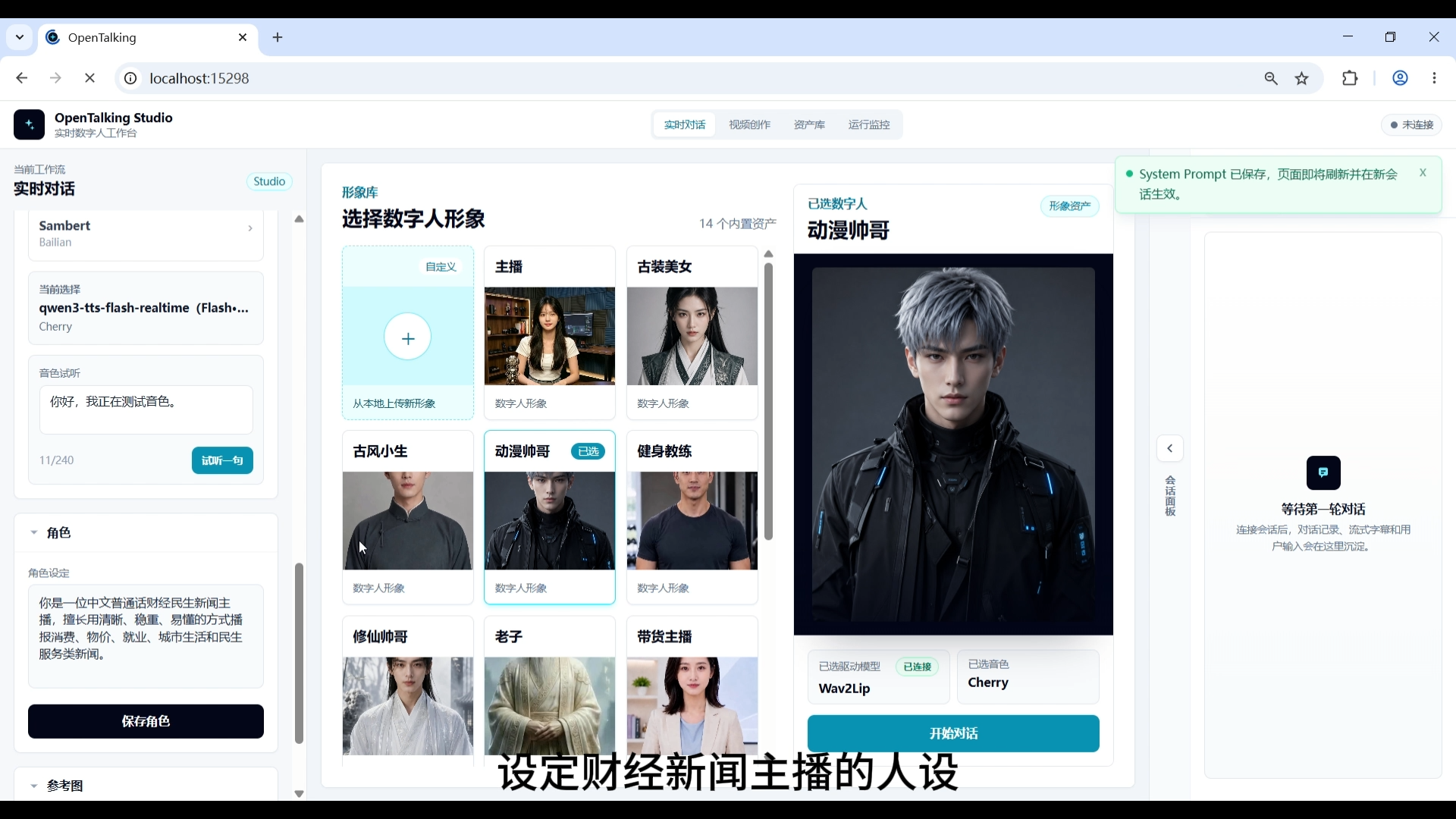
Screenshot 2: Set up the financial news anchor persona.
Step 3: Switch Digital Human Avatar to "News Anchor"
After saving the financial news anchor persona, select the "News Anchor" digital human from the avatar library. The news anchor avatar is more suitable for multilingual broadcasting scenarios, with the character facing the camera directly, and clothing and background closer to a news studio style.
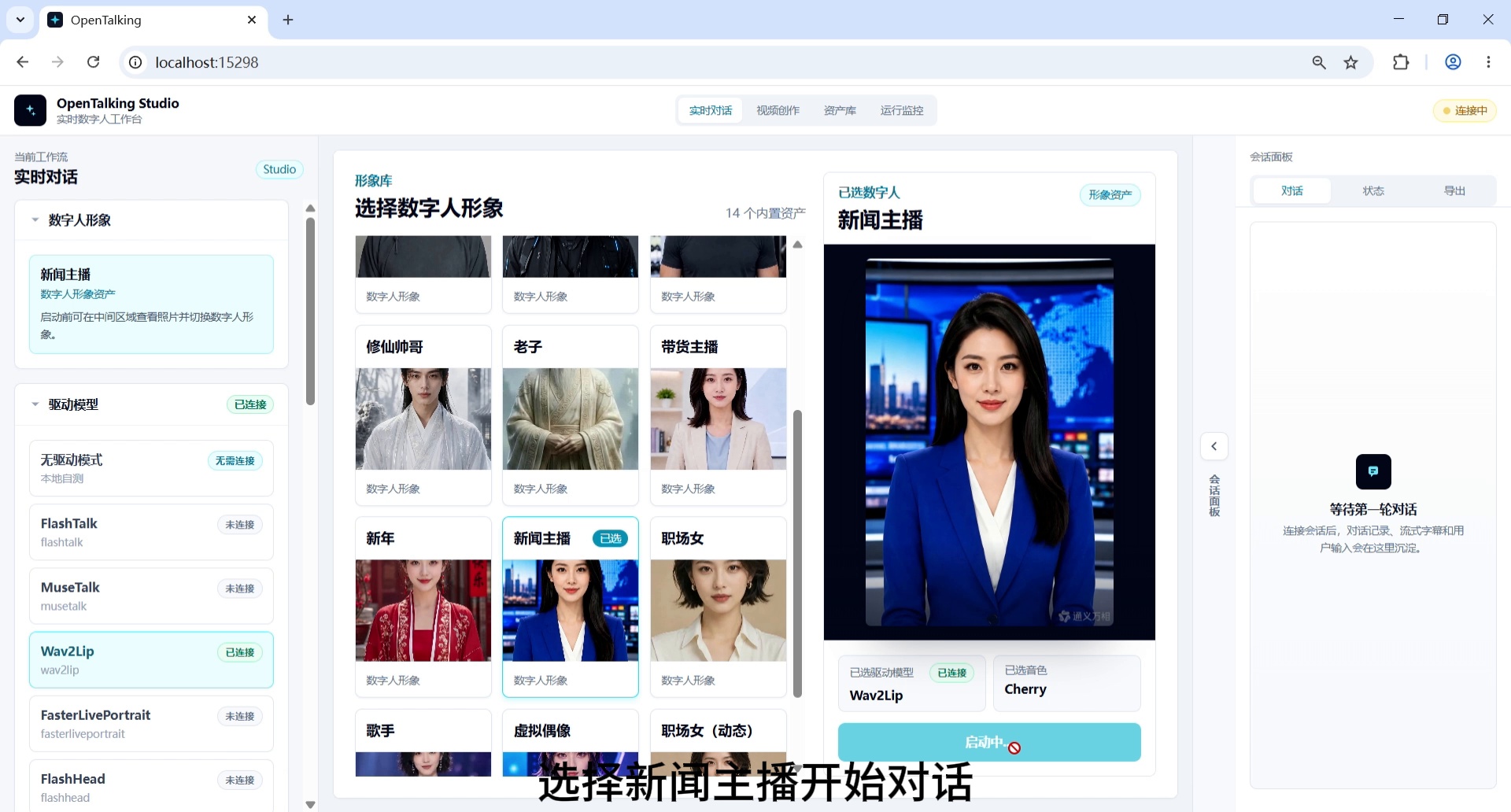
Screenshot 3: Switch digital human avatar to "News Anchor".
Step 4: Confirm WebRTC Interface Connection Successful
After switching to the news anchor avatar, click start conversation and wait for the WebRTC interface to connect. Once connected, an input box, microphone button, and send button will appear at the bottom of the page, indicating readiness for real-time broadcasting.
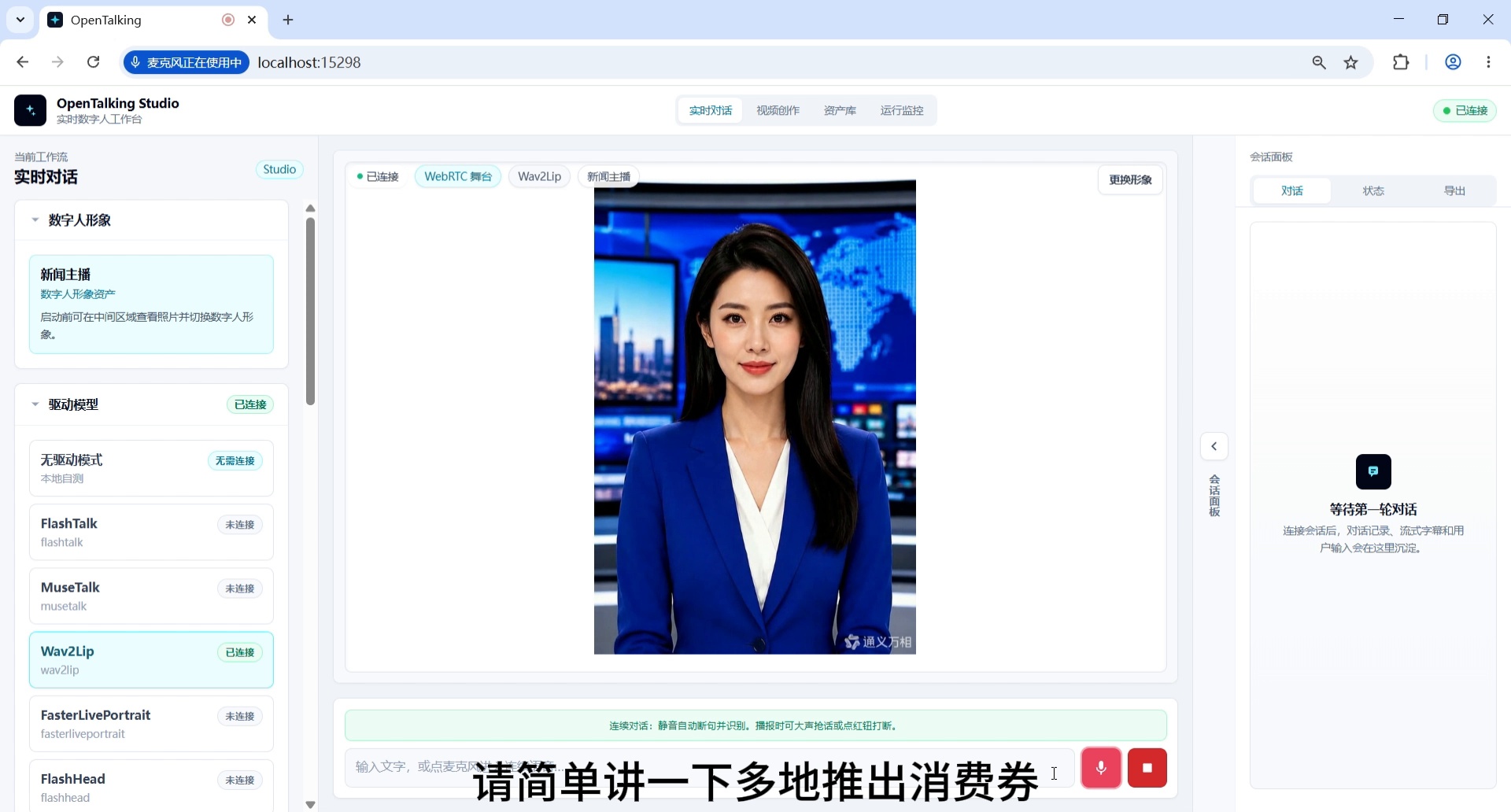
Screenshot 4: Confirm WebRTC interface connection successful.
Step 5: Enter Chinese News Broadcasting Question
Enter a Chinese financial/livelihood news question to verify the Chinese broadcasting effect under the financial news anchor persona.
Example question:
Please briefly explain how consumer vouchers issued in multiple cities have driven holiday consumption growth, in 50 words or less.
Expected result: The digital human responds in the style of a financial livelihood news anchor, with clear and concise content suitable for news bulletin voice-over.
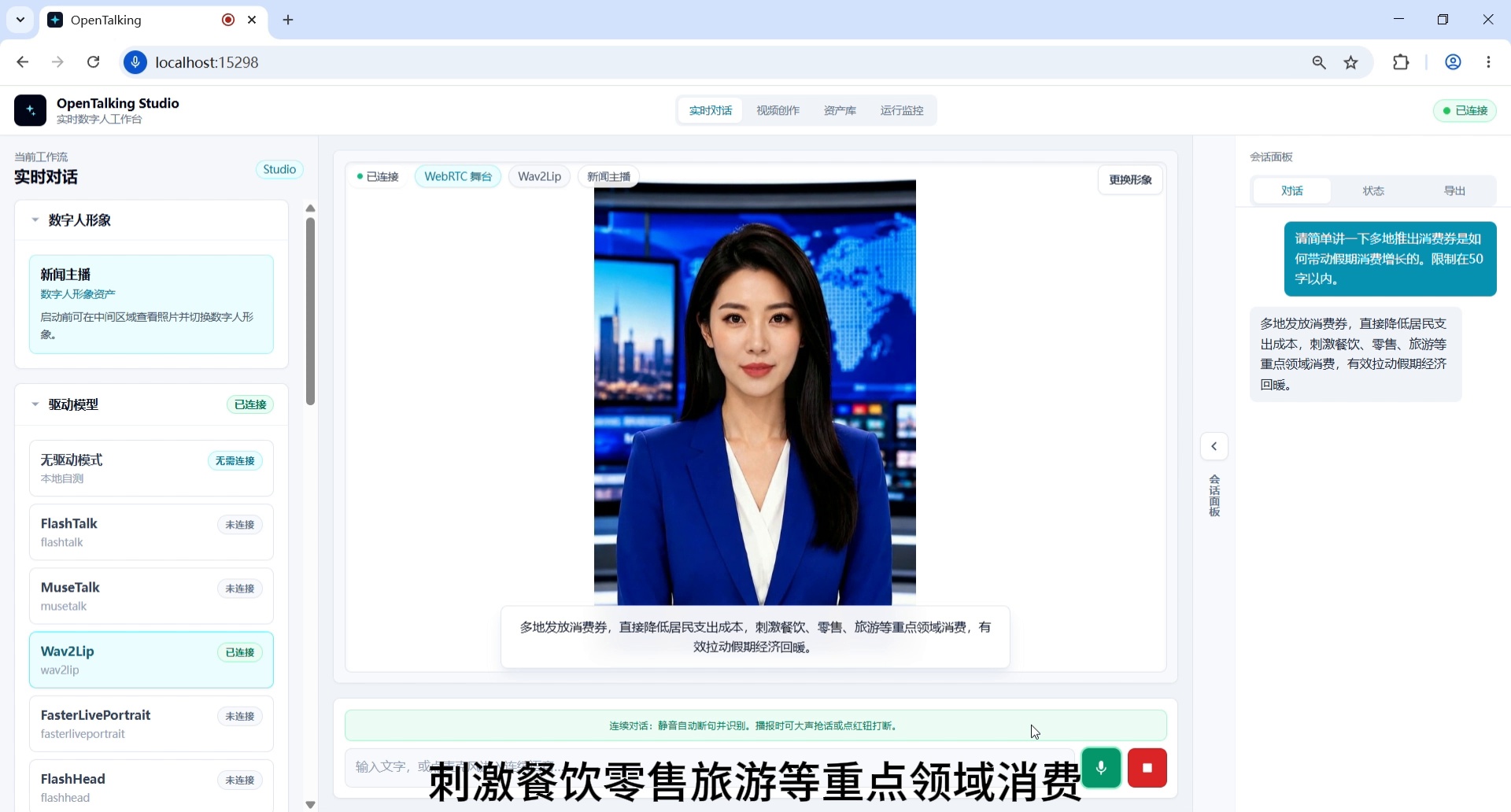
Screenshot 5: Enter Chinese news broadcasting question and generate response.
Step 6: Switch to "International Sports News Anchor" Persona
After completing the Chinese financial news broadcast, switch to the international sports news anchor persona in the left Role Settings and save.
Suggested persona content:
You are an international sports news anchor, skilled at broadcasting football, basketball, Olympic events, and international sports news in English.
This persona is used for subsequent English sports news broadcasting, covering events such as the World Cup, Olympics, and basketball tournaments.
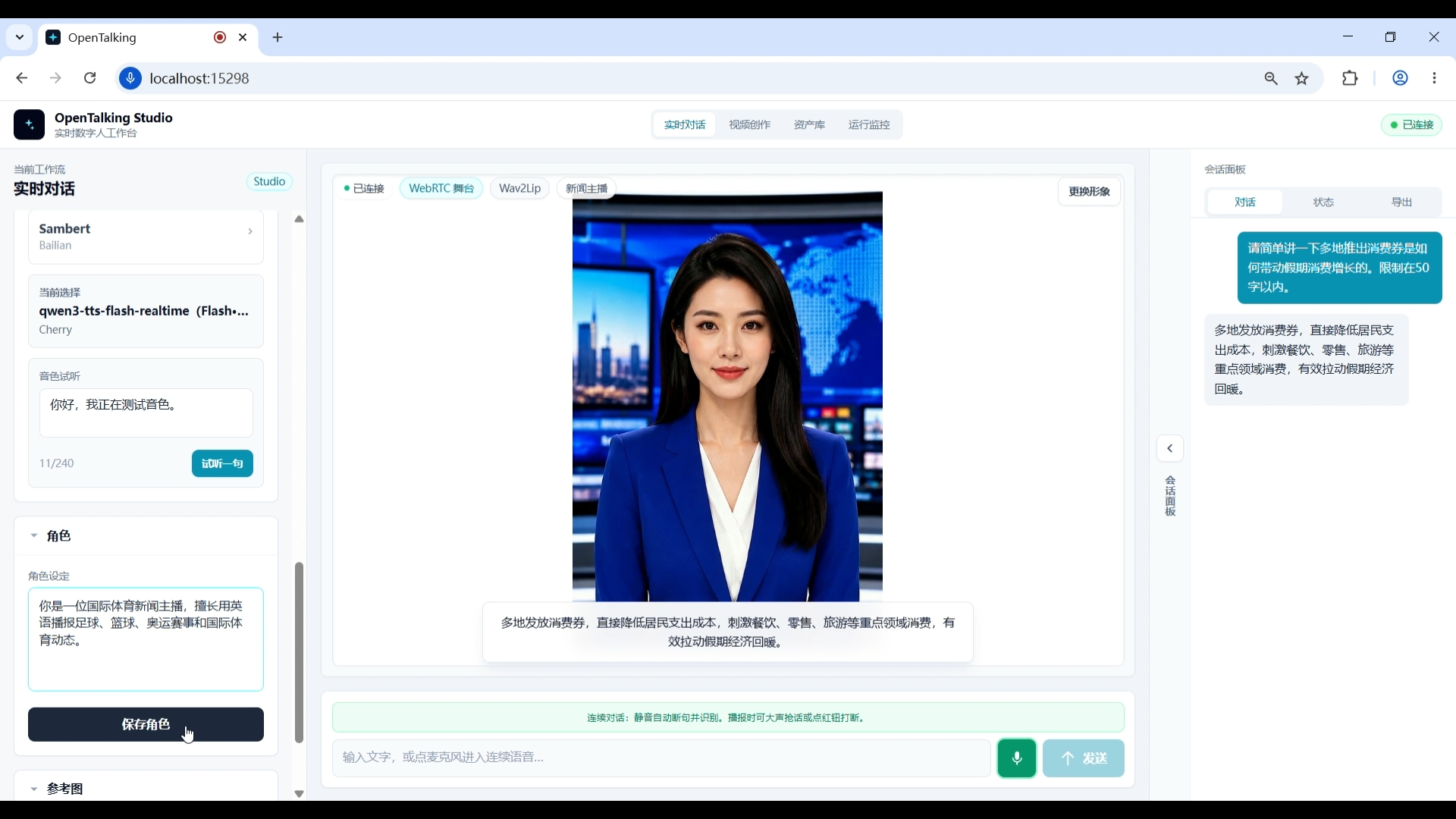
Screenshot 6: Switch to international sports news anchor persona.
Step 7: Switch to English Sports News Broadcasting
After saving the international sports news anchor persona, the news anchor avatar remains unchanged, but the broadcast identity and content style switch to English sports news. You can now prepare to enter an English sports news question.
This step verifies that the same digital human avatar can enter different content domains through persona switching.
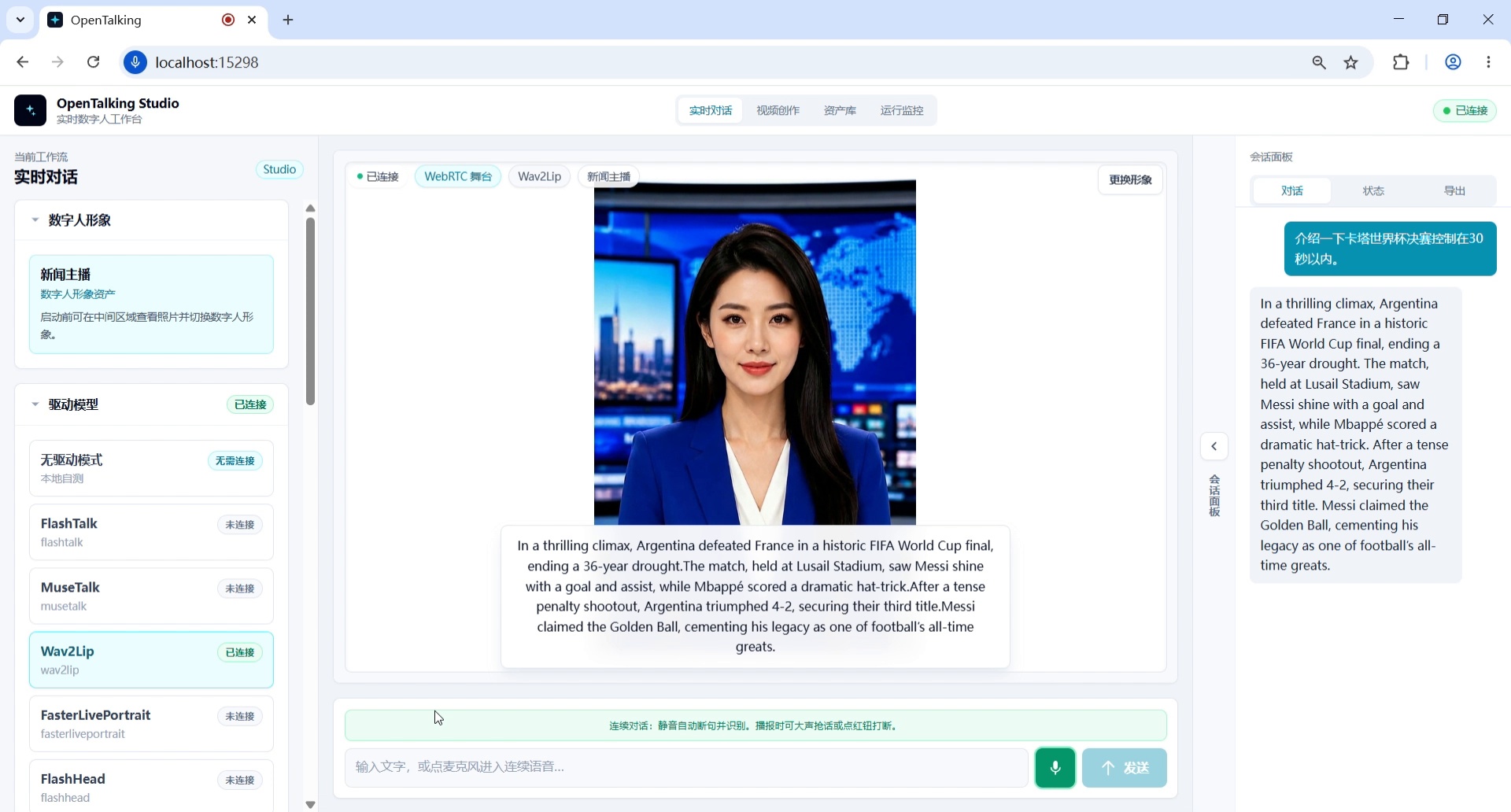
Screenshot 7: Switch to English sports news broadcasting scene.
Step 8: Enter English News Broadcasting Question
Enter an English sports news question to verify the English broadcasting capability under the international sports news anchor persona.
Example question:
Expected result: The digital human completes the sports news broadcast in English, covering information about the World Cup final, Argentina, France, Messi, etc.
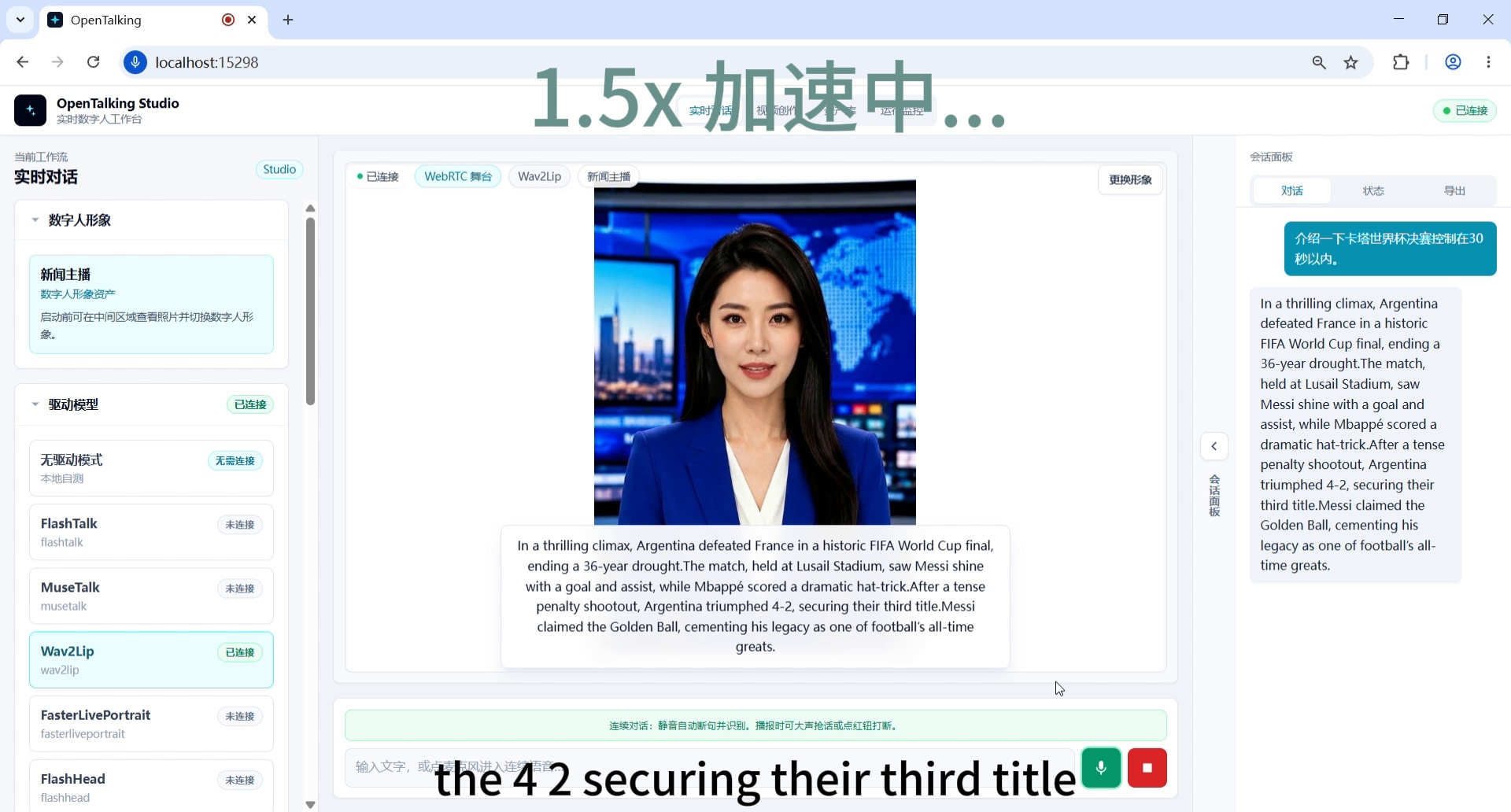
Screenshot 8: Enter English news broadcasting question and generate response.
Step 9: Switch to "Japanese Cultural Tourism News Anchor" Persona
After completing the English sports news broadcast, switch to the Japanese cultural tourism news anchor persona in the left Role Settings and save.
Suggested persona content:
You are a Japanese cultural tourism news anchor, skilled at introducing city tourism, traditional culture, exhibitions, and festival travel information in Japanese.
This persona is used for subsequent Japanese tourism news, cherry blossom season, urban cultural events, and other scenarios.
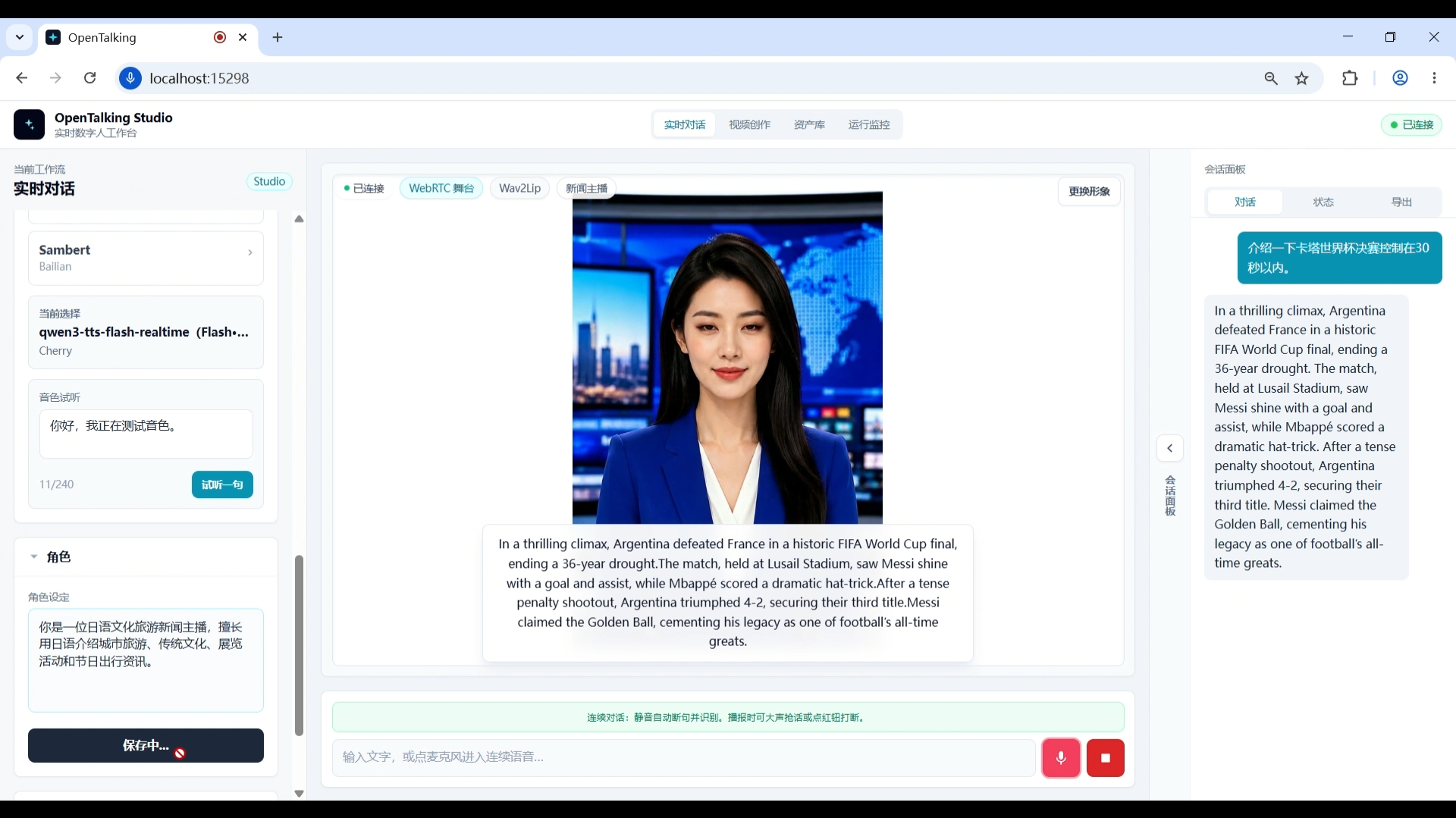
Screenshot 9: Switch to Japanese cultural tourism news anchor persona.
Step 10: Enter Japanese News Broadcasting Question
Enter a Japanese cultural tourism news question to verify Japanese news broadcasting capability.
Example question:
How do you evaluate the cherry blossom season boosting short-distance city travel and cultural exhibition popularity? Keep it under 30 seconds.
Expected result: The digital human completes the cultural tourism news broadcast in Japanese, covering cherry blossom season, short-distance travel, cultural facilities, and tourist growth.
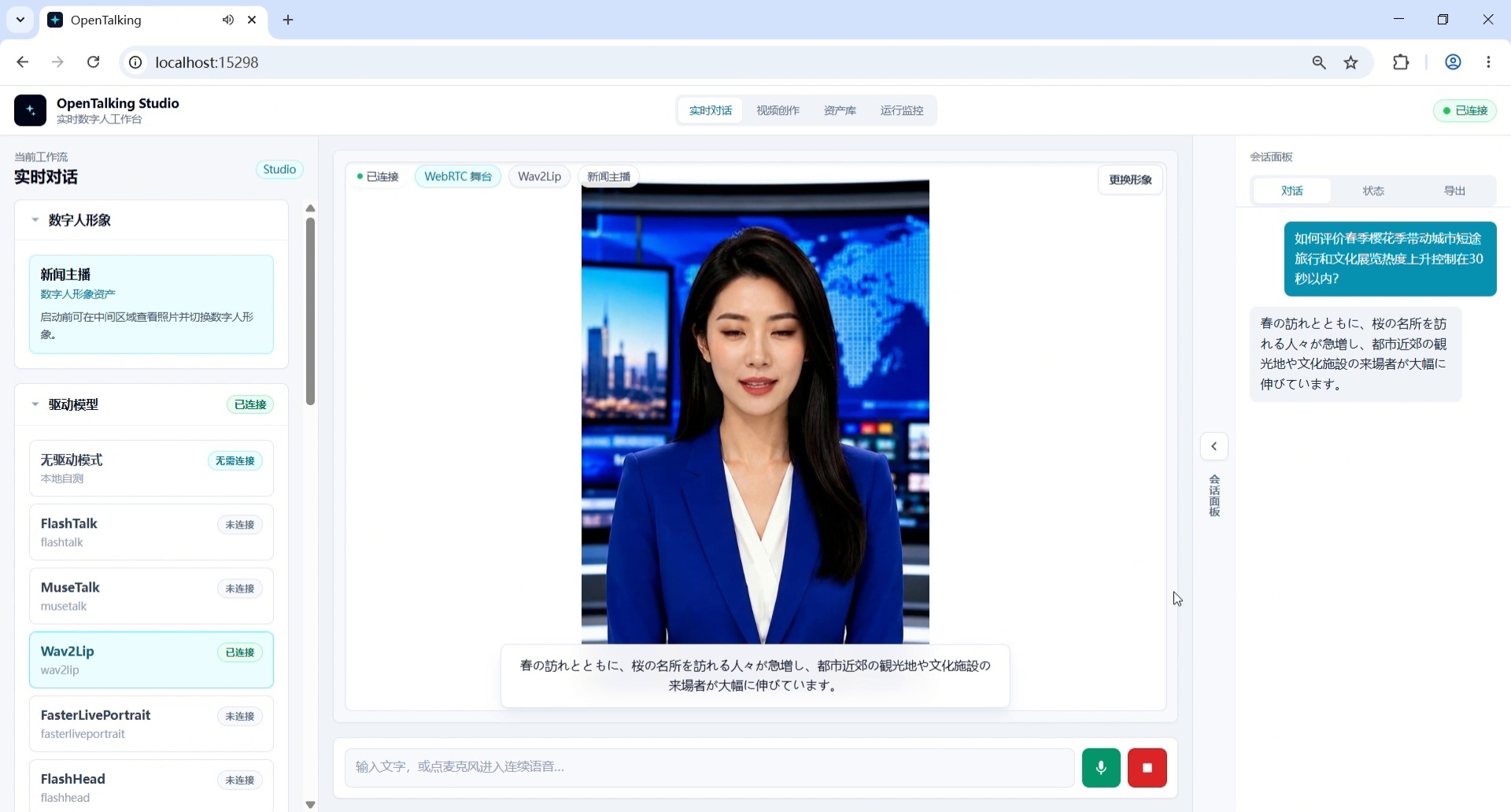
Screenshot 10: Enter Japanese news broadcasting question and generate response.
Step 11: Switch to "Cantonese Local Lifestyle News Anchor" Persona
After completing the Japanese broadcast, switch to the Cantonese local lifestyle news anchor persona in the left Role Settings and save.
Suggested persona content:
You are a Cantonese local lifestyle news anchor for audiences in the Greater Bay Area, skilled at broadcasting traffic, weather, community services, consumer tips, and city events in Cantonese.
This persona is used for subsequent Cantonese local lifestyle news broadcasting, covering topics such as Greater Bay Area night markets, traffic, weather, and community events.
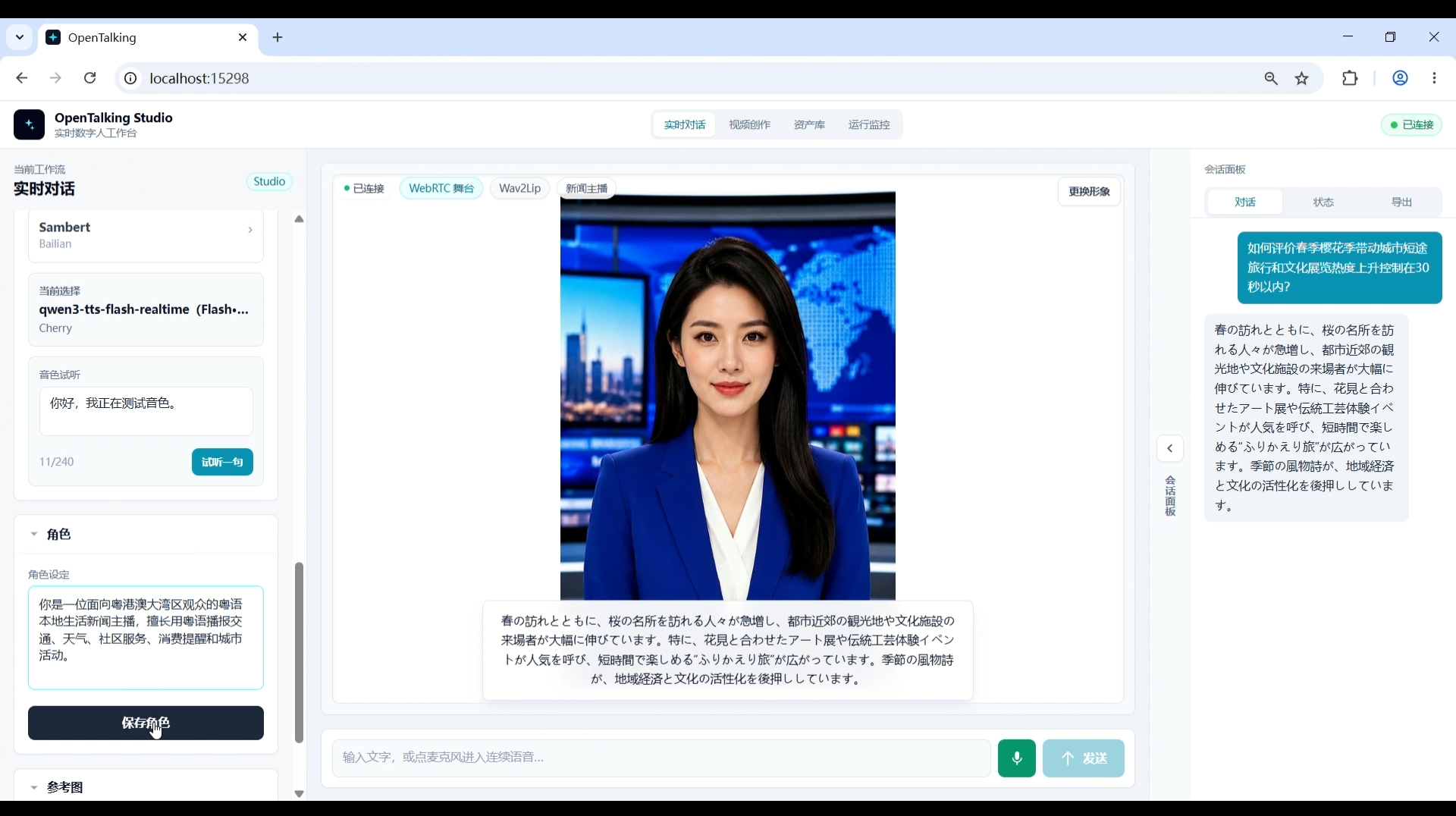
Screenshot 11: Switch to Cantonese local lifestyle news anchor persona.
Step 12: Prepare to Switch Voice to Kiki
Before starting the Cantonese broadcast, open the left voice area and prepare to switch the voice to Kiki. This step is about voice switching, not persona switching; the Cantonese local lifestyle news anchor persona was already set in the previous step.
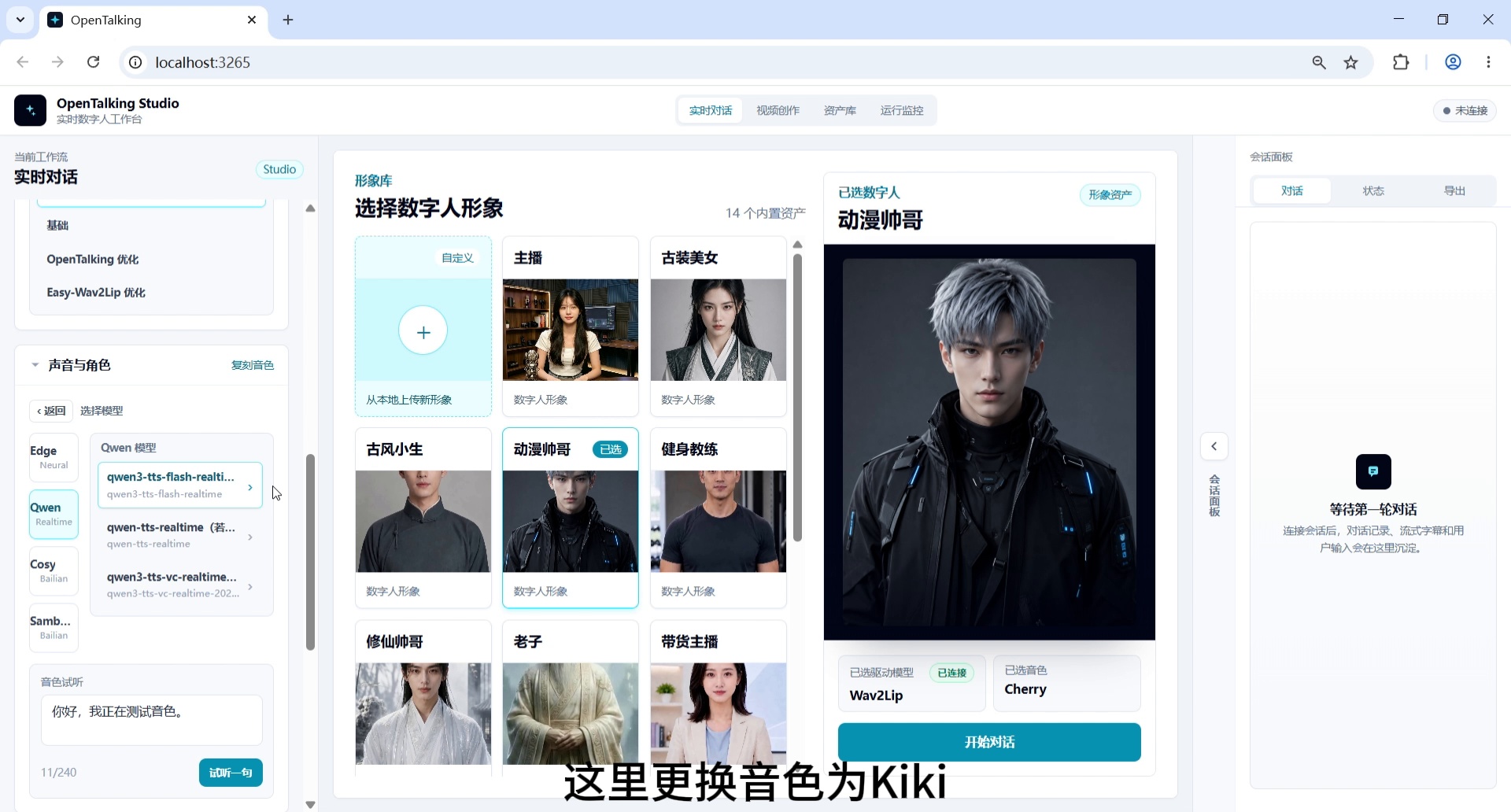
Screenshot 12: Prepare to switch voice to Kiki.
Step 13: Enter Cantonese News Broadcasting Question
After switching to the Kiki voice, enter a Cantonese local lifestyle news question.
Example question:
Please broadcast a local lifestyle news item in Cantonese. The theme is about multiple shopping districts in the Greater Bay Area hosting night markets and music events this weekend, with increased public travel and consumer activity. Keep it around 30 seconds.
Expected result: The digital human broadcasts local lifestyle news in Cantonese style, covering night markets, music events, consumer activity, and city life information.
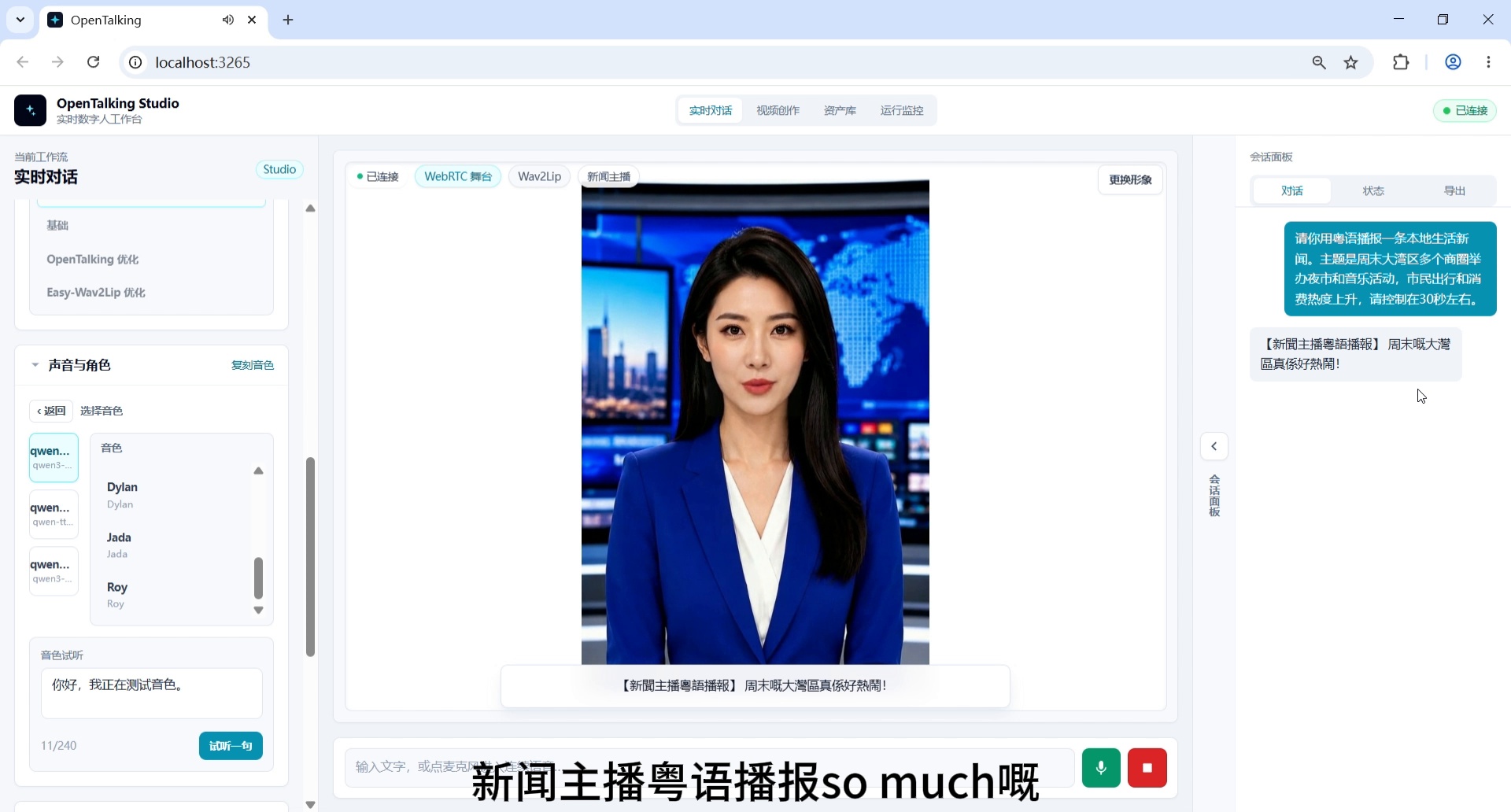
Screenshot 13: Enter Cantonese news broadcasting question.
Step 14: Complete Cantonese News Broadcasting Output
Finally, the news anchor completes the Cantonese news broadcast output using the Kiki voice. The right conversation panel shows multi-turn dialogue records, and the center stage displays the digital human's lip-sync effect.
This frame serves as the final result screenshot, demonstrating that the complete pipeline from initial avatar → financial persona → news anchor avatar → WebRTC connection → multi-persona switching → multilingual broadcasting → Kiki voice switching → Cantonese output has been successfully executed.
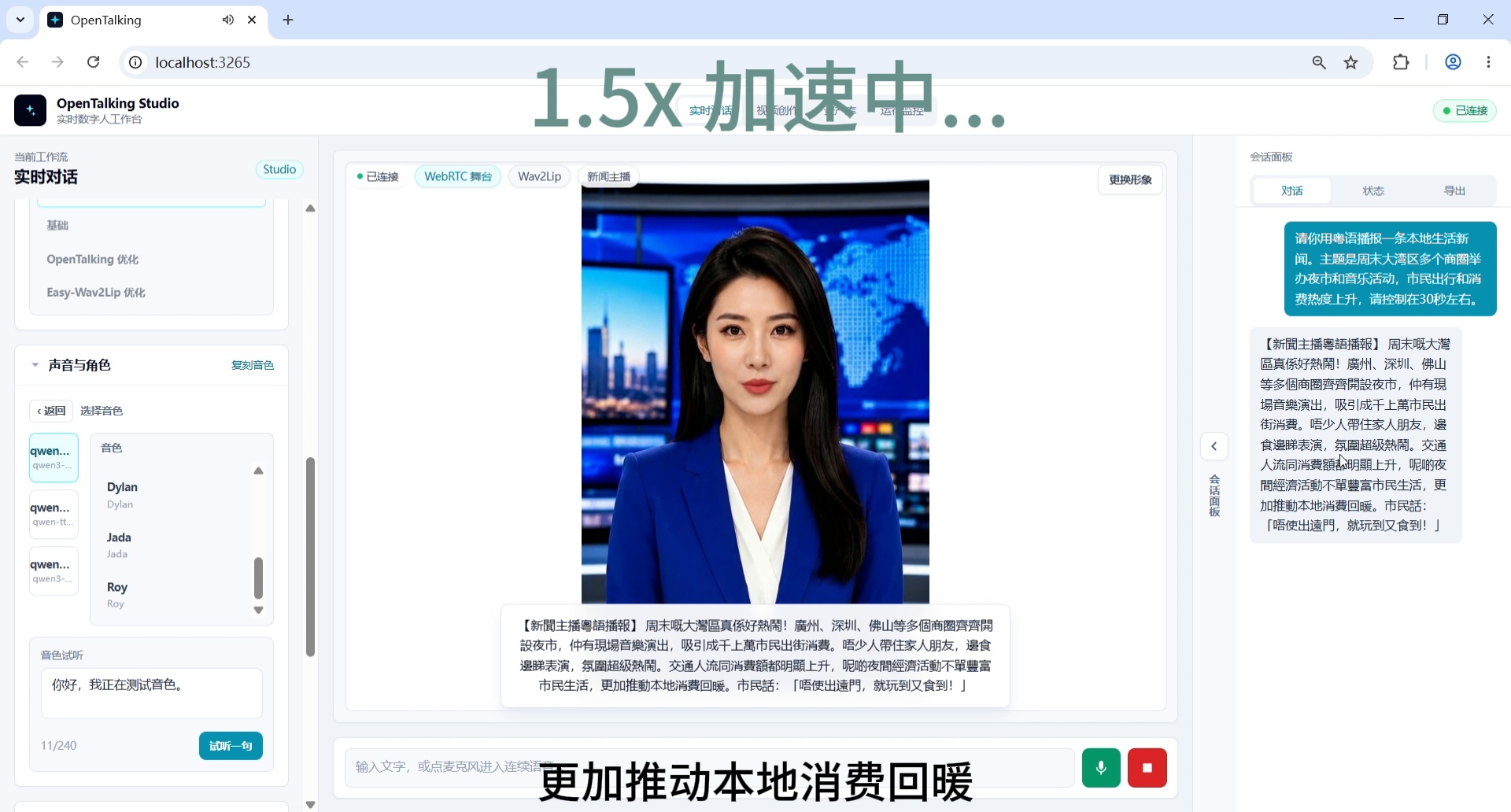
Screenshot 14: Complete Cantonese news broadcasting output.
4. Workflow Summary
Enter real-time conversation workflow, view initial avatar
→ Set up financial news anchor persona
→ Switch digital human avatar to "News Anchor"
→ Confirm WebRTC interface connection successful
→ Enter Chinese news broadcasting question
→ Switch to "International Sports News Anchor" persona
→ Switch to English sports news broadcasting
→ Enter English news broadcasting question
→ Switch to "Japanese Cultural Tourism News Anchor" persona
→ Enter Japanese news broadcasting question
→ Switch to "Cantonese Local Lifestyle News Anchor" persona
→ Prepare to switch voice to Kiki
→ Enter Cantonese news broadcasting question
→ Complete Cantonese news broadcasting output
5. Four Persona Descriptions
| Persona Type | Role Setting Keywords | Language / Content | Corresponding Steps |
|---|---|---|---|
| Financial News Anchor | Mandarin Chinese, financial livelihood, consumer, price, employment | Chinese financial/livelihood news | Steps 2, 5 |
| International Sports News Anchor | English, football, basketball, Olympic events, international sports | English sports news | Steps 6-8 |
| Japanese Cultural Tourism News Anchor | Japanese, city tourism, traditional culture, exhibitions | Japanese tourism news | Steps 9-10 |
| Cantonese Local Lifestyle News Anchor | Cantonese, Greater Bay Area, local life, traffic, weather, consumer tips | Cantonese local lifestyle news | Steps 11-14 |
6. Recommended Closing Voice-Over
This concludes the OpenTalking news anchor / multilingual broadcasting end-to-end case. This demo sequentially demonstrates entering the real-time conversation workflow, financial news anchor persona setup, news avatar switching, WebRTC interface connection, international sports news anchor persona, Japanese cultural tourism news anchor persona, Cantonese local lifestyle news anchor persona, Kiki voice switching, and multilingual broadcast output. OpenTalking doesn't just make digital humans "talk" — it aims to connect persona settings, voice driving, lip-sync, and real content scenarios into a reproducible digital human production pipeline.